

When a primary chiller trips offline at a data-adjacent facility, or the lead fire-water pump fails during a transfer, the first ten minutes decide almost everything. Not the repair quality. Not the parts. The response sequence. And in most facilities the "sequence" lives in three places at once: a laminated binder nobody has opened since the last audit, the muscle memory of whichever senior tech happens to be on shift, and a group text that spirals into forty messages where half are "who's calling the vendor?"
That gap is the actual problem worth solving. Not whether you have a playbook — most teams technically do — but whether the playbook is live during the incident, attached to the asset, and pushing the right step to the right person at the right minute.
This post is specifically about critical-asset emergency response: pump and chiller failures, the containment logic, the notification scripts, and the triggers that force a real root-cause review instead of a quiet "we restarted it, we're good."
Why static emergency plans quietly fail
The binder-and-tribal-knowledge model fails in a very predictable way, and it's almost never because the plan was wrong. It's because the plan was inert.
A chiller faults on a high-pressure cutout. The on-shift tech knows chillers. But the specific unit — a 450-ton centrifugal with a known history of oil-return issues at low load — has quirks documented in a work order from fourteen months ago that the tech never sees. So they reset the fault, it trips again, they reset again, and now the compressor has cycled three times in eight minutes. That's not a response. That's three attempts to recreate the original failure.
The decision tree is the actual product, not the checklist
Most emergency documentation is written as a linear checklist. Do step 1, then step 2, then step 3. Real failures don't behave linearly. A pump failure branches hard depending on what failed and what it's protecting.
Eliminate downtime with proactive maintenance.
Openfixit helps you plan, track, and complete maintenance efficiently—maximizing asset reliability.
- Centralized asset management
- Automated maintenance scheduling
- Inventory and parts tracking
No credit card required
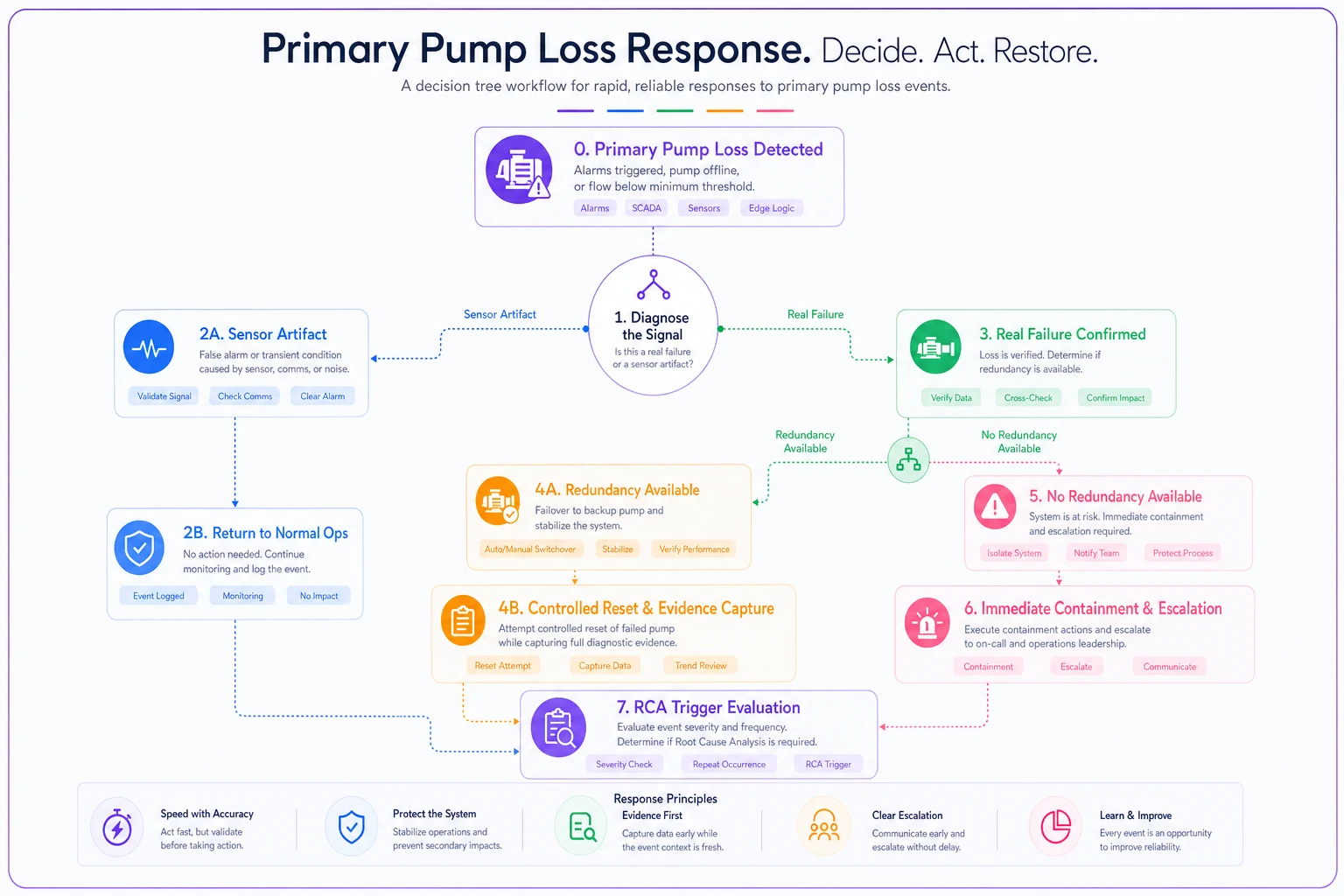
A decision tree forces the one thing improvisation skips: a deliberate branch at each point of uncertainty. Below is a stripped-down version of what a live pump-failure tree looks like in practice.
-
Confirm the failure is real, not a sensor artifact. Check discharge pressure against the flow reading. If pressure dropped but the flow sensor reads normal, you may have an instrument fault, not a pump fault. Branch accordingly — a sensor fault and a seized pump demand completely different responses.
-
Identify what the pump protects. Is this cooling a critical load, feeding a fire system, or circulating a process loop? The downstream consequence sets the clock. A process loop might tolerate twenty minutes. A fire-water system does not.
-
Branch on redundancy. Lead/lag pair available? Confirm the standby actually started and is carrying load — don't assume the auto-transfer worked. A failed auto-transfer that nobody verified is one of the most common "we thought we were covered" surprises.
-
If no redundancy move immediately to containment and escalation, not diagnosis. Diagnosis comes after the load is protected or isolated.
-
Capture before you clear. Fault codes, panel readings, and a photo of the local gauges — logged against the asset — before any reset.
Each branch is a different notification path, a different containment action, and a different set of evidence to capture. A flat checklist can't hold that structure. A decision tree can.
Decision tree flowchart showing primary pump loss response — starting node splits into sensor artifact vs. real failure, real failure branches into redundancy available vs. not available, redundancy available routes to controlled reset path with evidence capture, no redundancy routes to immediate containment and escalation, both paths converge at RCA trigger evaluation
Chiller failure: the same logic, different branches
Chillers add their own wrinkles. A chiller faulting on low refrigerant pressure versus a flow switch trip versus a VFD fault are three completely different incidents wearing the same alarm light.
-
Flow-related trip → verify pump status and strainer condition before touching the chiller.
-
Refrigerant/pressure trip → lock it out, do not reset, escalate to refrigeration.
-
Control/VFD fault → capture the code, attempt one controlled reset under defined conditions, escalate if it recurs.
The reset reflex is a human pattern, not a knowledge gap. People reset things because resetting feels like progress and waiting feels like negligence. The decision tree gives them permission to not reset — which, for a lot of failure modes, is the correct and harder call.
Containment steps: the part everyone underdocuments
Containment is where emergency plans get vague. "Isolate the affected equipment" is not a step. It's a wish.
Real containment for critical assets is physical, sequenced, and specific to the unit. For a pump, containment might mean: close the suction isolation valve (tag number stated), verify the discharge check valve held, confirm no backflow into the common header, and lock out the starter. For a chiller with a suspected refrigerant issue, containment means isolating the unit from the loop, confirming the oil heater state, and not powering anything down in a sequence that strands refrigerant in the wrong place.
Write containment steps to include exact valve/breaker tag numbers so a competent stranger can perform them accurately at night.
The pattern worth internalizing: containment steps should name the exact valve, breaker, or isolation point, because the person doing it may not be the person who knows the system. A good containment step reads like it was written for a competent stranger. Because on the night it matters, that's often who's holding the tablet.
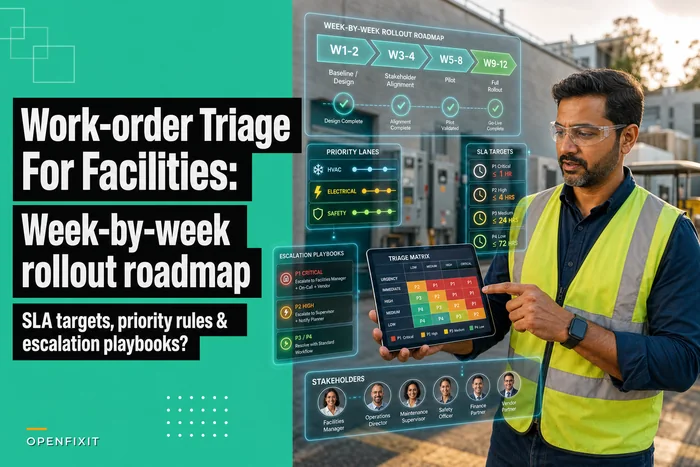
This connects directly to how you triage the broader response. The containment decision — how aggressively to isolate versus keep running — maps to the same priority logic covered in a work-order triage matrix for facilities, where priority rules and escalation paths already define what "critical" means for each asset class. Emergency containment is really just triage running at compressed speed.
Notification scripts: stop the forty-message group text
The technical response during an incident is often fine. The communication is what turns a contained failure into a reportable event with angry stakeholders.
Notification fails for two reasons. First, nobody knows exactly who to call and in what order. Second, when they do call, they improvise what they say — which means the facilities manager gets "the chiller's down" with no load status, no ETA, and no indication of whether this is a monitor-it or a wake-up-the-director situation.
-
What failed and its current state ("Chiller 2 locked out on low refrigerant pressure, not restarting")
-
What's affected right now ("North zone cooling on standby chiller, holding temp, limited margin")
-
What's been done ("Isolated, captured fault data, refrigeration tech en route, ETA 40 min")
-
What decision is needed, if any ("No action needed" or "Need approval for emergency vendor callout")
Tie each script to a tier. A contained failure with redundancy holding is a Tier 2 — notify the manager, no overnight calls. A failure threatening a critical load with no redundancy is a Tier 1 — call list runs top to bottom until someone acknowledges. The script and the tier travel together.
One thing worth noting: teams that write notification scripts almost always discover their call tree is out of date the first time they test it. Half the phone numbers are wrong. That's not a failure of the exercise — that's the exercise working.
Why this belongs in the CMMS, not a binder
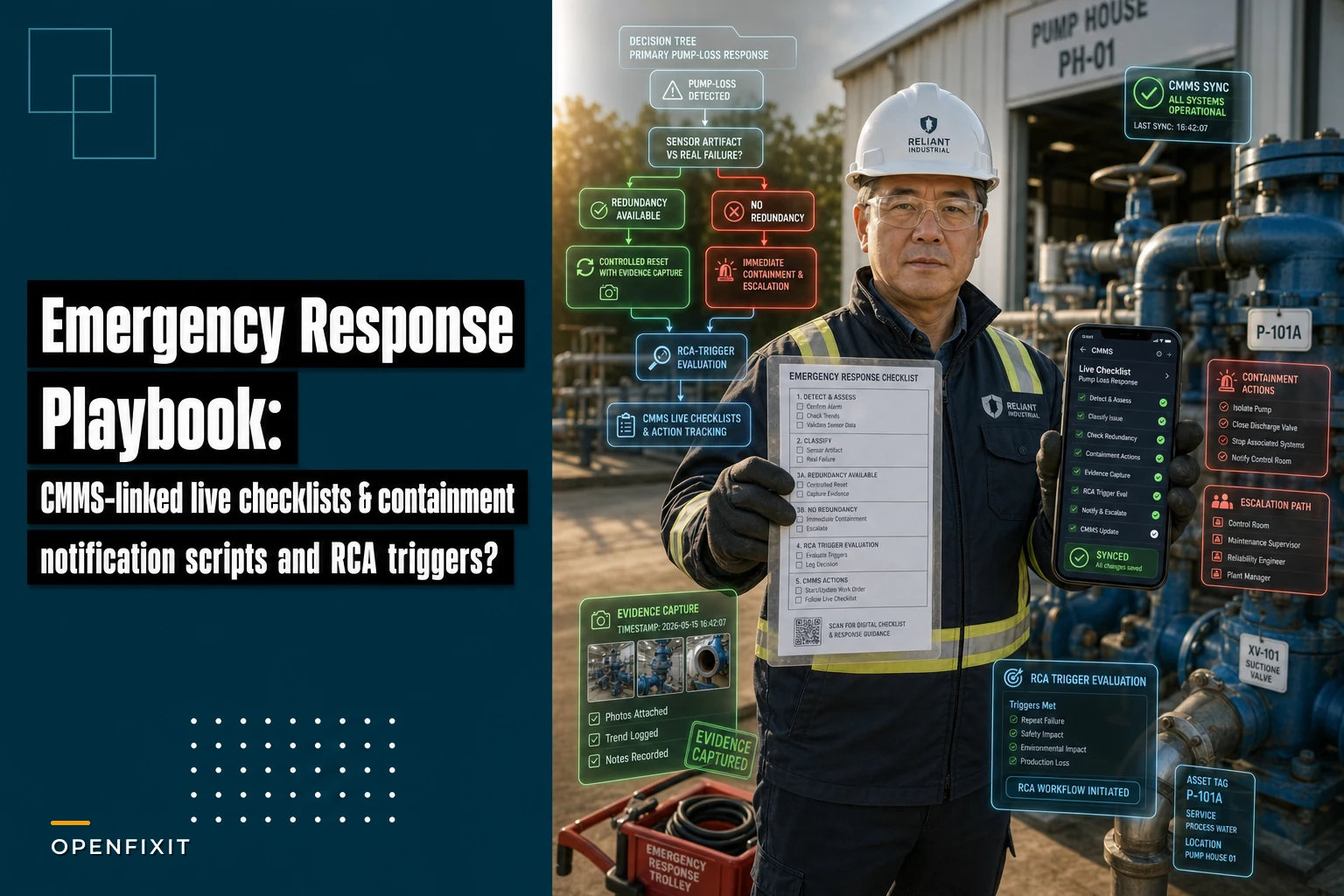
A binder can hold a decision tree. It can't do the two things that actually matter during an incident: push the right branch to the responder's device, and capture the evidence trail as they work.
When the response lives inside the CMMS, linked to the specific asset, a few things change in ways that genuinely matter:
-
The responder opens the asset and sees its failure history, its quirks, its isolation points — not a generic chiller procedure.
-
Each decision-tree branch becomes a logged action with a timestamp, building the incident timeline automatically instead of reconstructing it from memory two days later.
-
Fault codes, photos, and readings attach to the work order at the moment of capture — so the RCA starts with real evidence instead of recollection.
-
The notification tier fires the right script to the right people, and acknowledgments are logged.
This is where AI-assisted workflows earn their place quietly. A system that reads the incoming fault code and surfaces the correct decision-tree branch — "this is a low-refrigerant trip, here's the lockout path, do not reset" — removes the reset-reflex gamble. It's not making the decision for the tech. It's making sure the tech is standing in front of the right decision with the right context, at the moment they need it. That's the difference between automation that actually helps and automation people learn to ignore.
The RCA trigger: closing the loop so it doesn't happen again
The weakest point in most emergency responses isn't the response itself. It's the closure. The unit comes back online, everyone's exhausted, and the incident quietly closes with "restored to service." No root-cause review. Three months later the same chiller trips the same way.
The fix is a hard rule: certain incidents automatically trigger an RCA, and the work order cannot close until the RCA is done. You define the triggers in advance so they're not a judgment call at 3 a.m.
Reasonable auto-trigger thresholds:
| Trigger condition | RCA required? | Rationale |
|---|---|---|
| Critical asset ran on standby/redundancy | Yes | Redundancy was consumed — single point of exposure during repair |
| Same fault code recurs within 90 days | Yes | Recurrence means the first fix didn't address cause |
| Any lockout of a safety-related system | Yes | Compliance and life-safety exposure |
| More than two resets before stabilization | Yes | Reset pattern suggests undiagnosed root cause |
| Single clean fault, resolved first attempt, no load impact | No | Logged, trended, but not every event needs a full RCA |
The last row matters as much as the others. If everything triggers an RCA, nothing gets a real one — your team drowns and starts rubber-stamping. The triggers exist to separate the incidents that mean something from the routine ones.
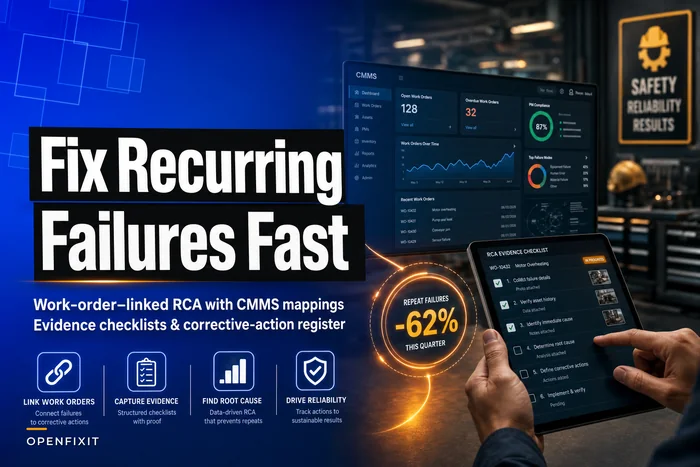
Once triggered, the RCA shouldn't start from scratch, because the evidence was captured live during the response. The fault data, the timeline, the photos, the decision branches taken — they're already attached to the work order. That evidence-first approach to recurring failures is exactly what a work-order–linked RCA playbook is built around: corrective actions tracked to closure, not left as good intentions in a meeting note.
A short real scenario
A mid-sized distribution facility ran two centrifugal chillers on a lead/lag setup serving a temperature-sensitive storage zone. Over about eight months they had the same low-load oil-return trip on the lead unit roughly five or six times. Each time, the night shift reset it. Twice it came back on its own. Twice they called the vendor for an emergency visit at premium overnight rates — somewhere in the range of $1,800–$2,400 per callout once travel and after-hours loading were factored in.
Nobody ran an RCA because each individual event got "resolved." The pattern only became visible when someone pulled the asset history and saw six nearly identical trips sitting there.
After they moved the response into a CMMS-linked decision tree with an auto-RCA trigger on recurrence, the next trip routed the tech straight to "do not reset, capture oil-return readings, escalate." The RCA — which now had actual captured data instead of memory — pointed to a control sequence issue at low load rather than a mechanical fault. The fix was a programming change, not a part. The recurring trips stopped, and so did the repeat overnight callouts chasing a symptom.
The win wasn't the technology. It was that the recurrence finally couldn't hide behind five separate "we restarted it" closures.
When this level of structure makes sense — and when it doesn't
This kind of live, CMMS-linked response framework earns its keep for genuinely critical assets — the ones where downtime hits product, safety, or compliance, and where the response involves people who don't have full context memorized. Chillers protecting sensitive loads, fire and process pumps, anything with redundancy worth verifying.
Who should not start here: teams whose asset hierarchy and failure history are a mess. If your CMMS doesn't reliably know which chiller is which or what failed last time, the decision tree has nothing accurate to pull from. Fix the asset data foundation first, then layer the emergency response logic on top. A decision tree pointed at bad data just automates a wrong answer faster.
Bringing it together
The core shift is small but hard: stop treating emergency response as something people remember and start treating it as something the system runs with them.
The decision tree replaces the reset reflex with the right branch. Containment steps written for a competent stranger survive the loss of your most experienced tech. Notification scripts kill the forty-message spiral and get decision-makers what they actually need. RCA triggers make sure the incidents that matter can't quietly close without anyone learning why they happened.
None of it requires heroics on the night of the failure. That's the whole point. The heroics should happen in advance — when you build the tree, name the valves, write the scripts, and set the triggers — so that at 2 a.m., the person holding the tablet just has to follow the path.
Ready to optimize your maintenance operations?
Join 2,000+ facilities using Openfixit to reduce unplanned outages, extend asset life, and improve operational efficiency.