

There's a specific moment every maintenance team eventually hits: a tech gets a chilled-water high-temp alarm at 2am, drives in, and finds the plant running fine. It cleared on its own before they arrived. That's the third one this week. By the end of the month, that same alarm gets acknowledged and ignored without a second thought — which is exactly how a real fault sails through undetected six weeks later.
Nuisance alarm reduction in facilities isn't a software configuration problem. It's a tuning discipline. The alarms are technically "working." They fire when a setpoint is crossed. The problem is that the setpoints, the timing, and the grouping logic were mostly left at whatever the controls contractor shipped, and nobody has revisited them since commissioning.
This is a 6-week sprint to fix that. No rip-and-replace, no new sensors. Just a structured pass through your worst offenders using signal/noise heuristics, debounce and hysteresis rules, alarm grouping, and criticality-tiered alerts. The HVAC and pump examples below include the actual math so you can copy the logic directly.
## Why "working" alarms become noise
Almost every nuisance alarm falls into one of four buckets, and naming them before you touch anything is worth the two minutes it takes:
-
Chattering alarms — the value hovers right at the threshold and flips in/out of alarm every few seconds. A discharge pressure sitting at exactly 58 psi against a 58 psi limit will fire dozens of times an hour.
-
Transient alarms — a real but self-correcting event. A pump starting up causes a momentary pressure dip. An AHU coming out of unoccupied mode overshoots temp for 90 seconds. Neither needs a human.
-
Consequential floods — one root fault triggers 15 downstream alarms. A tripped chilled-water pump throws low-flow, high-supply-temp, low-differential-pressure, and coil-freeze-risk alarms all at once.
-
Stale-limit alarms — the threshold made sense in 2019. The building's load profile changed, the setpoint drifted, but the alarm limit never moved.
Across most building automation systems, somewhere around 5–8 alarm points generate the overwhelming majority of annunciation volume. That's genuinely good news. You don't need to tune 2,000 points. You need to find the 30 that are screaming and fix those.
The mistake most teams make is trying to "clean up the whole BAS." That's a project that never finishes. A tight sprint on the noisy few finishes in six weeks and buys back trust in the system.
## The signal/noise triage: find your worst 30
Before any tuning, you need data on frequency. Most BAS and CMMS platforms can export an alarm history — pull the last 60–90 days and rank by count. What you're looking for:
Eliminate downtime with proactive maintenance.
Openfixit helps you plan, track, and complete maintenance efficiently—maximizing asset reliability.
- Centralized asset management
- Automated maintenance scheduling
- Inventory and parts tracking
No credit card required
| Metric | What it tells you | Red flag threshold |
|---|---|---|
| Alarms per point per day | Chattering / bad limit | >10/day on a single point |
| Median time-in-alarm | Transient vs. real | <2 min return-to-normal |
| Ack-to-clear time | Are humans even reacting? | Auto-clears before ack |
| % alarms outside work hours | After-hours nuisance load | High share on non-critical assets |
| Co-occurrence clusters | Alarm floods | 5+ points firing within 60s |
The co-occurrence column is the one people skip, and it's usually the most useful. If you sort your history and notice that "AHU-3 Supply Temp High" almost always fires within 30 seconds of "AHU-3 Fan Status Fail," you've found a grouping candidate — the fan failure is the parent, the temp alarm is noise.
A quick way to build the triage list:
-
Export 60–90 days of alarm history.
-
Rank every point by total occurrences.
-
Flag anything with a median time-in-alarm under two minutes.
-
Cluster alarms that co-occur within a 60-second window.
-
Cross-reference each top point against asset criticality (more on tiers below).
-
Pick your top 25–30 offenders. That's the sprint backlog.
Pick your top 25–30 offenders. That's the sprint backlog.
## Debounce and hysteresis: the two settings that kill chatter
These two concepts do most of the heavy lifting, and they solve different problems. People conflate them constantly.
Debounce (on-delay / off-delay) is a time filter. The condition has to persist for X seconds before the alarm annunciates. It kills transients.
Hysteresis (deadband) is a value filter. Once an alarm trips at the high limit, it won't clear until the value drops below a separate, lower reset point. It kills chatter at the threshold.
A typical example: you have a chilled-water supply temperature alarm set at 46°F. The plant runs a hair warm on hot afternoons and the supply temp bounces between 45.6 and 46.2 all day. With a single 46°F threshold, that point alarms and clears maybe 40 times an afternoon.
Add hysteresis: alarm at 46°F, but don't clear until it drops back below 44.5°F. Now the value has to make a real 1.5-degree round trip to re-alarm. The chatter is gone. Add a 120-second on-delay on top, and a brief overshoot during a load spike never annunciates at all.
The tuning question is always: how big should the deadband and delay be? Too tight and you're back to chatter. Too loose and you delay a real fault. A working rule:
-
Set the deadband to roughly 2–3× the normal signal noise band of that sensor at steady state.
-
Set the on-delay slightly longer than the longest legitimate transient for that condition — motor start, valve stroke, mode change.
Log a sensor's steady-state noise band before choosing a deadband multiple so you don't guess.
For a discharge pressure on a pump that dips for roughly 8 seconds every start, a 15-second on-delay covers it with margin. For an AHU supply temp that overshoots for up to 90 seconds coming out of setback, 120 seconds makes sense. Match the delay to the physics of the equipment, not a blanket "60 seconds on everything."
Worked HVAC example: AHU-3 supply air temp
AHU-3 serves an occupied office zone. Its supply-air-temp-high alarm was firing around 18 times a day, mostly clustered in the afternoon and during the morning warm-up.
-
Original config
- High limit: 60°F, no deadband, no delay.
Diagnosis:
-
Steady-state noise band on that sensor
±0.4°F.
-
Morning warm-up overshoot
up to 63°F for roughly 2 minutes as the unit ramps.
-
Afternoon
hovering at 59.5–60.3°F during peak load.
Tuned config:
-
High limit
60°F, clear at 58°F (2°F deadband, roughly 5× the 0.4 noise band — generous because comfort isn't safety-critical here).
-
On-delay
150 seconds
to swallow the warm-up overshoot.
Result: from roughly 18/day down to 1–2/day, and the ones that remain are actual sustained high-temp events worth looking at. Nothing about the equipment changed. The alarm just stopped crying wolf.
Worked pump example: condenser-water pump discharge pressure
CWP-2 threw a low-discharge-pressure alarm on every start — a hard-wired nuisance the team had learned to ignore.
-
Original config
- Low limit: 40 psi, no delay.
Diagnosis:
-
On start, pressure ramps from 0 to roughly 52 psi over about 9 seconds. During those 9 seconds it's below 40 psi, so it alarms every single start.
-
Running steady state
50–54 psi.
-
A genuine failure (impeller, coupling, closed valve) shows sustained low pressure, not a 9-second dip.
Tuned config:
-
Low limit
40 psi, on-delay: 20 seconds (comfortably past the 9-second ramp).
-
Alarm inhibit tied to pump run-command + proof
suppress the low-pressure alarm entirely until 25 seconds after start command.
-
Hysteresis
alarm at 40 psi, clear at 44 psi to prevent flutter near the limit during throttled operation.
Start-up nuisance eliminated, and a real low-pressure condition — which persists well past 25 seconds — still annunciates fast. This is the pattern for almost any pressure or flow alarm on rotating equipment: inhibit during the known transient, then let it watch.
## Alarm grouping: stop the flood
Grouping is where you get the biggest perceived improvement, because floods are what actually make operators lose faith. When one fault produces a wall of 12 alarms, people can't tell the fire from the smoke.
The concept is parent/child suppression. You designate a root condition, and when it's active, you suppress its known downstream consequences — or roll them into a single grouped notification.
Take the chilled-water pump trip flood mentioned earlier. The parent is "CHWP-1 Fault." The children are low chilled-water flow, chilled-water supply temp high, low differential pressure, and coil freeze-risk on affected AHUs. When CHWP-1 Fault is active, those four child alarms get suppressed for the duration, and one grouped message goes out: "CHWP-1 tripped — 4 related conditions suppressed." The operator sees one actionable event instead of five competing ones. When the parent clears, the children re-enable automatically; if any stays abnormal after that, it re-annunciates as a genuinely independent problem.
The judgment call: only suppress children you're confident are downstream. If there's ambiguity — the child alarm could sometimes indicate an independent fault — group it visually but don't fully suppress it. Fewer alarms is the goal, not blind spots.
A related, lighter-weight technique is first-out grouping: within a co-occurrence window (say 30 seconds), annunciate the first alarm prominently and list the rest as "associated." You don't need formal parent/child modeling to get 70% of the benefit — just timestamp clustering.
## Tiered alerts by asset criticality
Not every alarm deserves the same response, and treating them equally is why real emergencies get the same phone buzz as a filter-differential nudge. Tier your alerts by what the asset does, not by what the sensor reads.
| Tier | Asset examples | Routing | After-hours? |
|---|---|---|---|
| Critical | Life safety, primary chillers/boilers serving critical zones, main switchgear, sump pumps in flood-risk areas | Immediate call/SMS to on-call, escalate in 15 min if no ack | Always |
| Important | Redundant HVAC, secondary pumps, comfort-critical AHUs | SMS/app notification, escalate next business hour | Only if no redundancy available |
| Routine | Filter DP, minor comfort deviations, informational status | Logged to work queue, batched daily digest | Never |
The thing most teams miss: the same alarm can sit in different tiers on different assets. A high-temp alarm on the CEO-floor AHU with no backup might be Important; the identical alarm on a redundant unit in an over-served warehouse is Routine. Tier the alert, not the alarm type.
This tiering also shapes where debounce lands. On a Critical asset you use shorter delays — you'd rather tolerate an occasional nuisance than delay a real fault by two minutes. On Routine points you can afford generous delays and wide deadbands, because a slightly late notification costs nothing.
Getting this routing to actually stick is where your CMMS or maintenance platform earns its keep — not the alarm generation itself, but turning the right alarms into assigned, tracked work with the correct urgency, and keeping a record of which tuning changes reduced which alarm volumes. If you're already thinking about which assets deserve sensor investment at all, the logic overlaps heavily with how you'd design a predictive maintenance pilot around asset scoring — criticality is the same spine underneath both.
## The 6-week sprint, week by week
You don't do all of this at once. The sprint sequences it so each week has a clear deliverable and you can measure the drop.
-
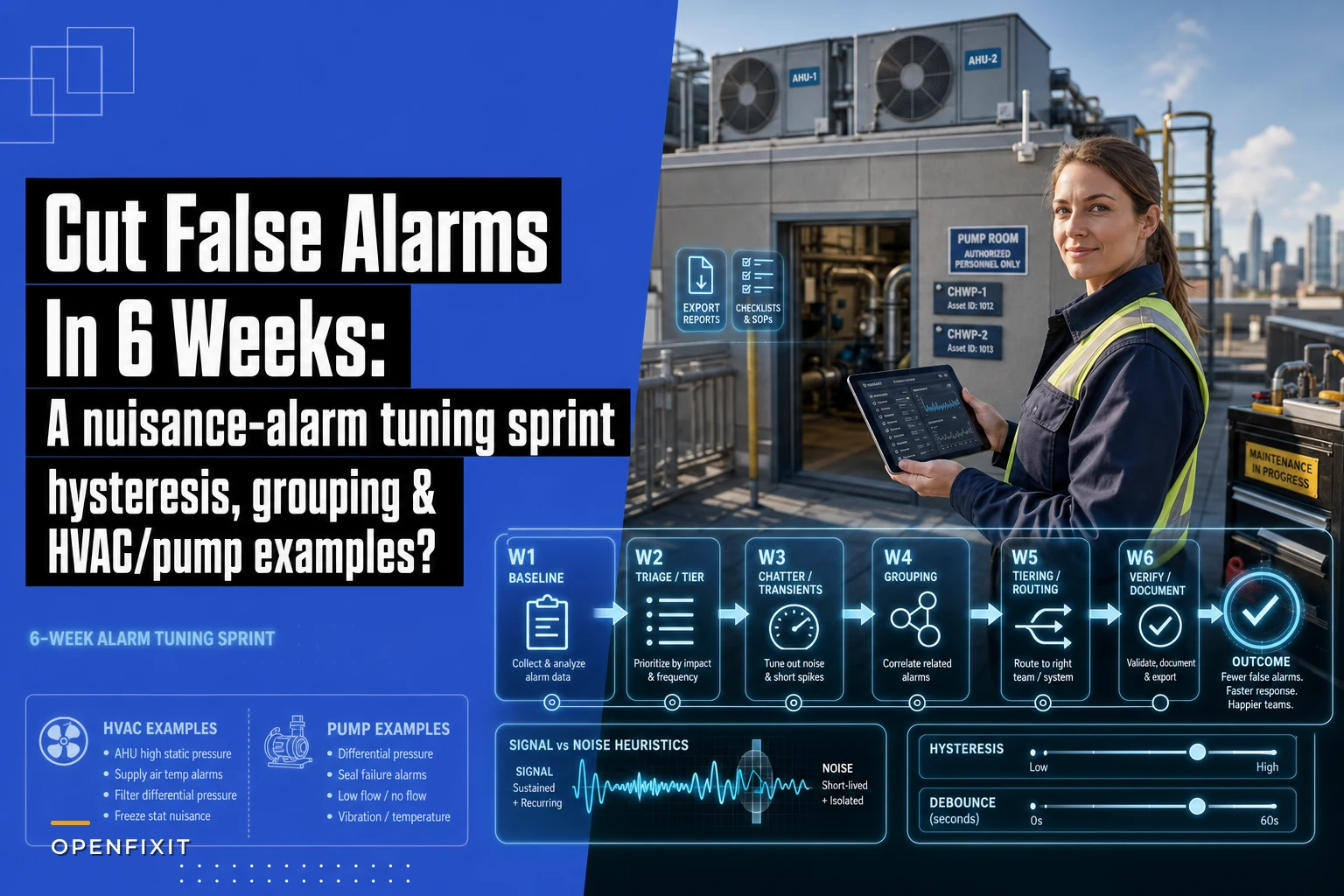
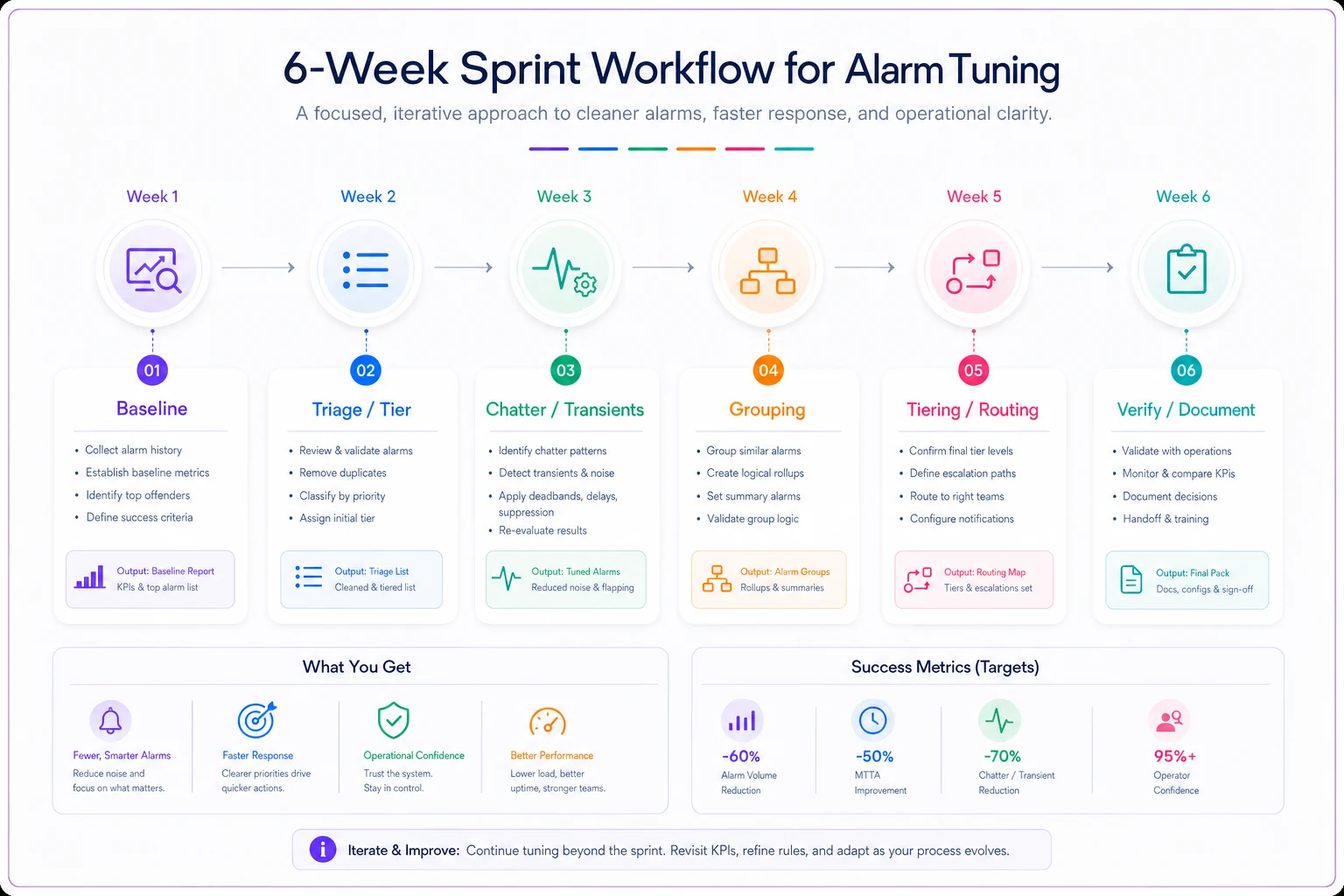
Week 1 — Baseline. Export 60–90 days of history. Rank points, compute time-in-alarm, identify co-occurrence clusters. Lock in a baseline alarm-rate number (alarms per day) so you can prove the reduction later.
-
Week 2 — Triage & tier. Pick the top 25–30 offenders. Assign each a criticality tier. Decide per point whether the fix is debounce, hysteresis, grouping, limit change, or inhibit-during-transient.
-
Week 3 — Chatter & transients. Apply hysteresis deadbands and on-delays to your chattering and transient offenders. Change one point at a time, note the before/after count.
-
Week 4 — Grouping. Build parent/child suppression or first-out grouping for your top 2–3 alarm floods. This is the highest-effort week; keep it to a handful of well-understood cascades.
-
Week 5 — Tiering & routing. Wire the tier scheme into notifications. Make sure Routine alarms stop paging people after hours and start landing in a daily digest or work queue instead.
-
Week 6 — Verify & document. Re-pull alarm history for the sprint period. Compare against Week 1 baseline. Document every changed setpoint, deadband, and delay — this is the part teams forget, and it's what keeps the tuning from silently reverting.
A quick checklist before you call the sprint done:
-
[ ] Baseline and post-sprint alarm rates recorded and compared
-
[ ] Every changed limit/deadband/delay logged with a reason
-
[ ] No Critical-tier point had its delay set long enough to hide a real fault
-
[ ] Grouped/suppressed children verified to re-enable when parent clears
-
[ ] Routine alarms confirmed off the after-hours call list
-
[ ] Standing schedule set to re-review alarm rates quarterly
A short visual of the sprint flow helps keep the team aligned.
That last point matters more than it looks. Alarm limits drift as buildings change. A tuning sprint isn't a one-time cleanup — it's something you re-run lightly every quarter so you never rebuild a 2am flood.
## Real scenario: a mid-size office/lab campus
A three-building campus with a shared central plant was averaging somewhere around 900–1,100 BAS alarms a day — the classic "everyone silenced the annunciator" situation. The on-call tech was getting paged 4–6 times a night, mostly for events that self-cleared.
The sprint found that about 22 points generated close to 80% of the volume. Two chattering CHW temp sensors, three pump start-up transients, and one recurring AHU flood accounted for the bulk. After applying deadbands, start-inhibits, and one parent/child grouping on the pump-trip cascade, daily alarm volume dropped to somewhere around 120–160/day and after-hours pages fell to 1–2 a week — almost all genuinely actionable.
The team caught a real condenser-pump degradation about a month later, precisely because the low-pressure alarm was trusted again instead of reflexively cleared. Nothing was replaced. No sensors added. The equipment behaved identically. The only thing that changed was the logic sitting between the sensor and the human.
## When this sprint makes sense — and when it doesn't
Do this if your team has started ignoring alarms, if after-hours pages are mostly false, or if one fault reliably buries you in a wall of annunciations. Those are tuning problems and this sprint is the fastest fix.
Don't lead with tuning if the real issue is that your alarm limits reflect equipment that's genuinely failing or badly out of tune mechanically. Suppressing an alarm that fires because a chiller actually can't hold setpoint isn't tuning — it's hiding a maintenance problem. Fix the mechanical issue first. Similarly, if your PM intervals are off and equipment is drifting because it's under-maintained, no deadband will help; that's a case for revisiting how you balance PM intervals against labor and parts cost before touching alarm logic.
Be careful on Critical assets. The whole point of tiering is that you tune Critical points conservatively — short delays, tight-enough deadbands. If anyone on the team suggests a five-minute on-delay on a sump-pump-in-flood-zone alarm to "cut the noise," that's the moment to stop. On critical safety points, a nuisance is the acceptable cost of not missing the real thing.
The measure of a good tuning sprint isn't the lowest possible alarm count. It's that when your phone buzzes at 2am, you get out of bed — because you know it's real.
Ready to optimize your maintenance operations?
Join 2,000+ facilities using Openfixit to reduce unplanned outages, extend asset life, and improve operational efficiency.