

Most inspection programs fail at the handoff. The inspection gets done, the findings get written down, and then corrective work either gets logged late, logged wrong, or never logged at all. The gap between "we found a problem" and "a work order exists for it" is where facilities quietly accumulate risk.
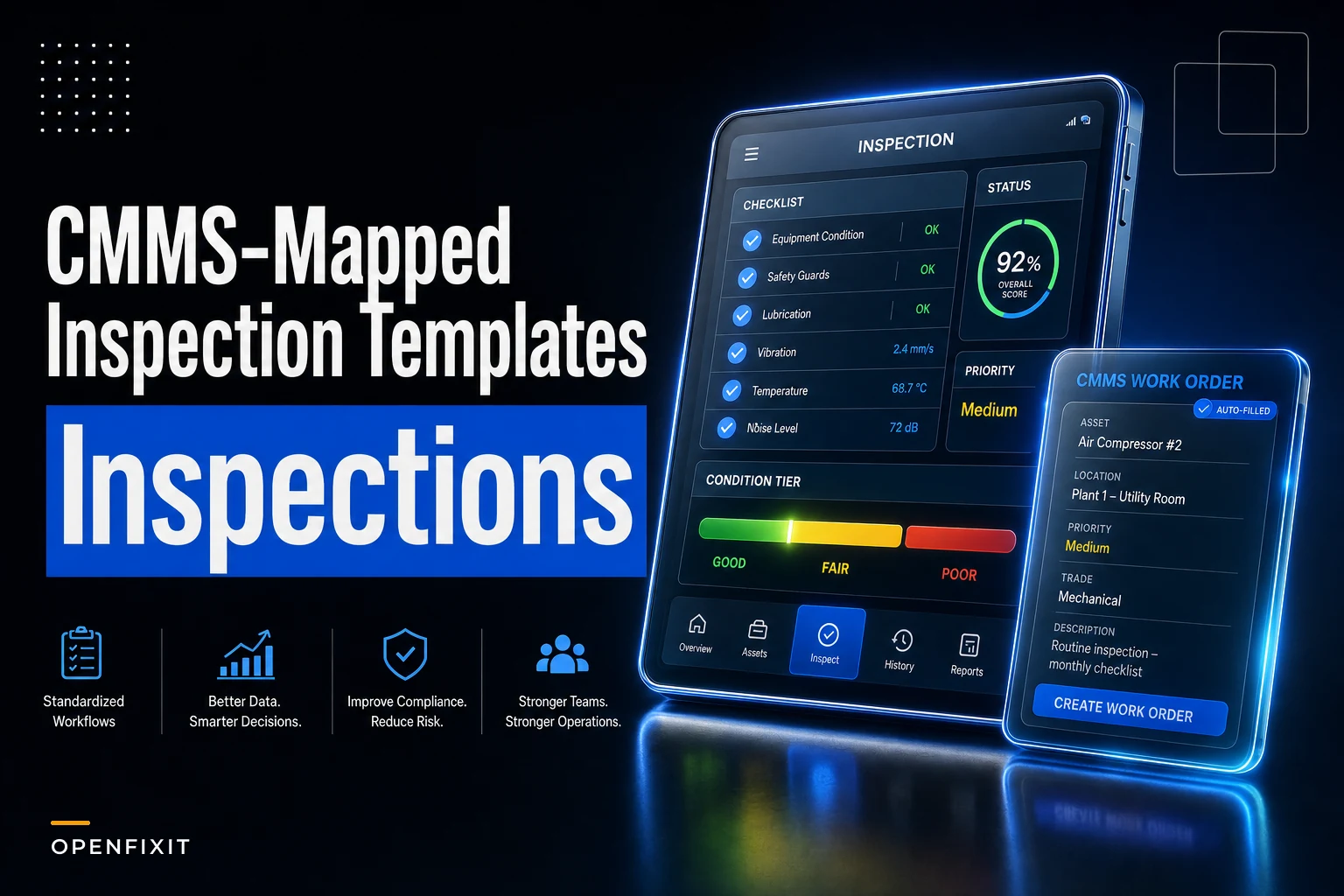
The fix isn't more inspections. It's building inspection templates where the fields themselves map to your CMMS, so a measurement outside tolerance is the trigger for a corrective work order — no retyping, no judgment call about whether it's "worth logging," no three-day delay while a supervisor decides.
This post is specifically about that mapping layer. Not inspection strategy in general. Just the mechanics of making an HVAC inspection checklist in your CMMS produce the right corrective work order, at the right priority, every time.
Where the breakdown actually happens
Walk through a typical cycle. A tech runs a quarterly air handler inspection. The paper form — or the generic digital form — has a line that says "Check belt condition." The tech writes "worn." Done.
-
The tech has to decide whether "worn" is bad enough to flag separately
-
Someone has to read the completed form, which may sit for days
-
Someone has to interpret "worn" into an action — replace now? next PM? monitor?
-
Someone has to create a corrective work order, re-entering the asset, location, and problem
-
Someone has to prioritize it correctly
Every one of those steps is a place to drop the ball. And in real operations, the drop usually happens at interpretation. "Worn" from one tech means "replace today." From another it means "still has six months." The form captured the observation but not the decision rule, so the decision gets made — or not made — by whoever happens to look at it next.
The deeper problem: generic checklists capture observations, not measurements mapped to thresholds. "Worn" is an observation. "Belt deflection 3/4 inch at 10 lb, spec is 1/2 inch" is a measurement with a built-in pass/fail. Only the second one can drive an automatic trigger.
The three pieces that make auto-generation work
For an inspection finding to generate a corrective work order without someone babysitting it, three things have to be defined before the tech ever walks up to the asset.
Eliminate downtime with proactive maintenance.
Openfixit helps you plan, track, and complete maintenance efficiently—maximizing asset reliability.
- Centralized asset management
- Automated maintenance scheduling
- Inventory and parts tracking
No credit card required
1. Required measurements with explicit tolerances
Each inspection point needs a measurement field with a data type the CMMS can actually evaluate — a number, a dropdown, a pass/fail — not a free-text box. Free text can't trigger anything. A number compared against a stored spec can.
The discipline here is deciding what to actually measure versus what to eyeball. You don't measure everything. You measure the things where a threshold crossing means corrective action. For an air handler that might be belt deflection, motor amp draw, temperature differential across the coil, and static pressure. For a panel it's usually thermal readings on connections and breaker load. For life-safety it's often pass/fail with a photo, because the "measurement" is binary — the exit sign is lit or it isn't.
2. Severity-to-action mapping
This is the piece most programs skip entirely. Every measurement range has to map to a severity, and every severity has to map to an action. Not "the supervisor decides" — a stored rule.
A belt deflection reading doesn't just fail. It fails into a tier. Slightly out of spec → monitor, re-check next PM. Moderately out → corrective WO, routine priority. Badly out → corrective WO, urgent, with a parts hold. The measurement determines the tier; the tier determines the work order.
3. Trigger rules
The logic that ties both pieces together: if measurement X falls in range Y, create work order type Z at priority P, assign to trade T, attach the inspection record as evidence. This is where the CMMS earns its keep. The trigger fires on save, pulls the asset and location from the inspection record, and spawns the corrective WO fully populated.
A simple way to think about the full flow:
``
[Inspection Record Saved]
        ↓
[Measurement Evaluated Against Stored Spec]
        ↓
[Tier Assigned: Green / Yellow / Red]
        ↓
[Trigger Rule Fires]
        ↓
[Corrective WO Spawned — Asset, Location, Priority, Trade Pre-Populated]
        ↓
[Inspection Record Linked as Evidence]
``
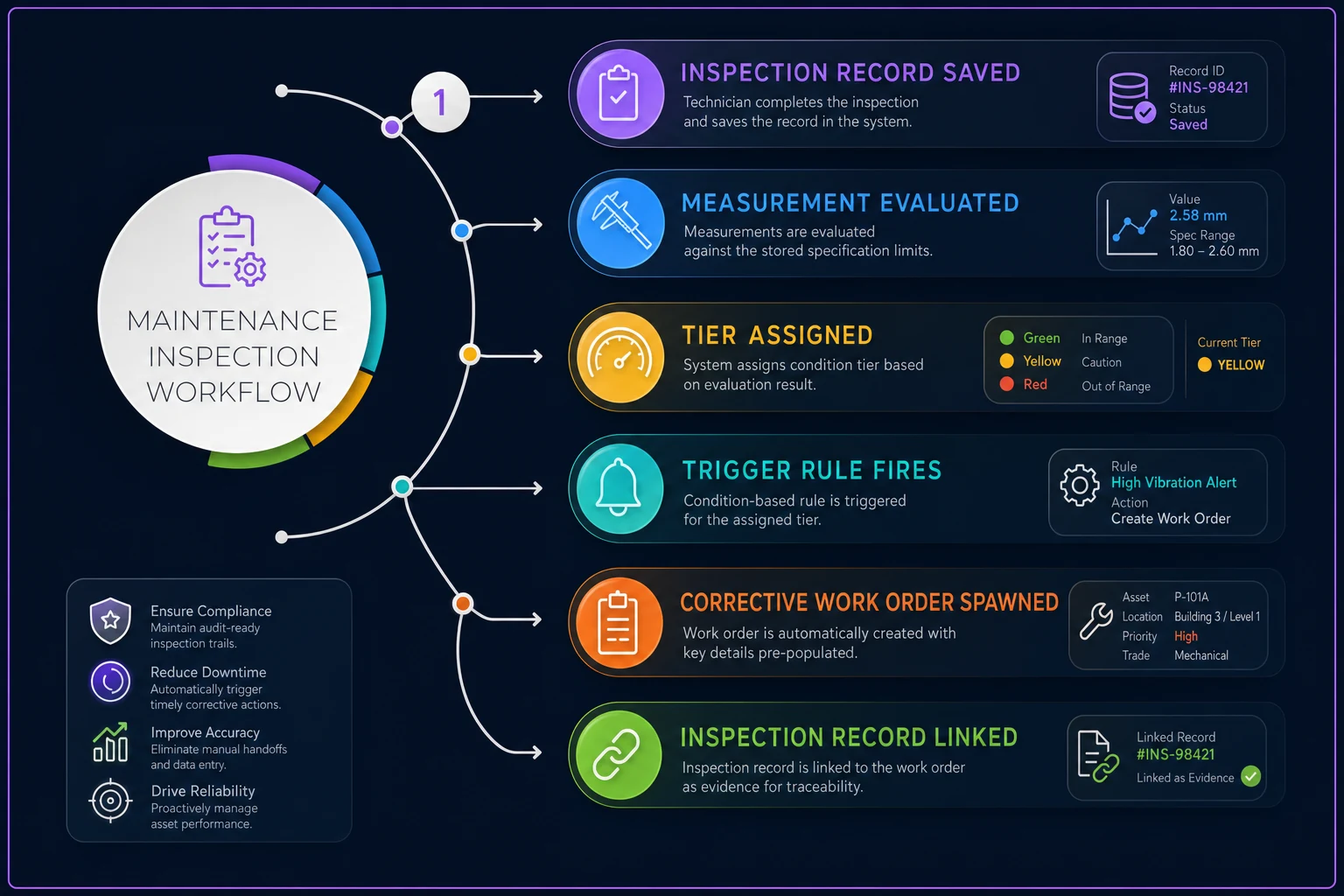
That sequence happens automatically once the mapping is built. The tech saves the inspection, and the corrective work order already exists before they've walked back to the truck.
A worked severity-to-action map
Here's what a real mapping looks like for a few common HVAC and electrical inspection points. The numbers are illustrative — your specs come from equipment manuals and your own risk tolerance — but the structure is what matters.
| Inspection Point | Measurement | Green (log only) | Yellow (corrective, routine) | Red (corrective, urgent) |
|---|---|---|---|---|
| AHU belt deflection | inches at rated load | within spec | up to 1/4" over | more than 1/4" over, or cracking |
| Motor amp draw | amps vs. nameplate FLA | under 95% FLA | 95–105% FLA | over 105% FLA |
| Coil temp differential | °F across coil | within design ±2° | 3–5° low | more than 5° low |
| Panel connection temp | °F rise over ambient | under 10° | 10–25° | over 25° |
| Emergency lighting | 90-min load test | passes full duration | dims before 90 min | fails to illuminate |
| Fire damper | manual drop test | closes fully | sluggish/partial | fails to close |
The point of the table isn't the exact thresholds. It's that each row has a defined boundary between tiers, so the tech's measurement lands in a bucket automatically. No one reads "panel feels warm" and guesses. The infrared gun reads 31°F rise, that's Red, and a corrective WO is already forming.
One note on the life-safety rows: for fire dampers, emergency lighting, and similar systems, the Yellow tier is often narrower — or barely exists. A fire damper that's sluggish isn't a "schedule it sometime" situation. In most jurisdictions, a partial failure is still a reportable deficiency. Build your tiers to match the code you're actually inspected against, not just operational convenience.
Building the template: a practical sequence
If you're standing this up inside your CMMS for the first time, here's an order that avoids the usual rework.
-
Pick one asset class to start. Air handlers are a good first choice — high inspection frequency, well-understood specs, clear corrective actions. Don't try to template everything at once.
-
List every inspection point, then split it. For each point, decide: is this a measurement (number/pass-fail) or just a visual note? Keep the visual notes, but only the measurements get trigger rules.
-
Pull the specs and define the tier boundaries. Use the equipment manual for hard numbers, then set your Yellow/Red cutoffs. Write them down somewhere other than one person's head.
-
Map each tier to a work order recipe. Decide the WO type, default priority, assigned trade, and whether a parts hold or approval step is needed. Align these priorities with your existing triage logic — your work-order triage matrix should be the source of truth for what "urgent" actually means in your operation.
-
Wire the trigger to carry evidence. The generated corrective WO should automatically link back to the inspection record, the specific measurement, and any photo the tech captured. If it doesn't carry that evidence, you've just created a WO someone has to investigate from scratch.
-
Test with deliberately bad inputs. Enter an out-of-spec value on purpose and confirm the right WO spawns at the right priority. Then enter a borderline value and confirm it lands in the tier you expected. Borderline is where mapping bugs hide.
-
Run it in parallel for one cycle. Keep the old process alongside the new template for one inspection round, compare what got flagged, and tune the boundaries before you cut over fully.
Run it in parallel for one cycle. Keep the old process alongside the new template for one inspection round, compare what got flagged, and tune the boundaries before you cut over fully.
What a good trigger rule actually carries
When the corrective work order spawns, it should arrive populated enough that a planner can schedule it without making a phone call. A well-built trigger pulls through:
-
The asset ID and location (inherited from the inspection record)
-
The specific failed measurement and its reading vs. spec
-
The severity tier and resulting priority
-
The recommended corrective action from the mapping
-
The assigned trade or skill
-
The inspection photo or video as evidence
-
A back-link to the parent inspection
That last item matters more than people expect. When corrective WOs link back to the inspection that found them, you can start seeing which inspection points actually predict failures and which are just noise. It's also the raw material for real root-cause work — linked records make it far easier to run a work-order-linked RCA when the same measurement keeps drifting on the same asset.
The back-link also gives you something to show during a compliance audit. Instead of hunting for paper records, you have a chain: inspection → finding → corrective WO → completion. That traceability has real value when someone is questioning whether a known deficiency was addressed.
A real scenario
A regional operator running about a dozen mid-size retail sites did quarterly HVAC and life-safety inspections on paper, transcribed later into their CMMS. The inspections were happening on schedule. The corrective follow-up wasn't.
When they audited a quarter's worth of completed inspections against the corrective WOs that should have resulted, they found that roughly a third of the Yellow findings — the not-quite-failing ones — never became work orders at all. They'd been written on the form, interpreted as "fine for now," and forgotten. A few of those turned into after-hours no-cooling calls the following summer, each running several thousand dollars in emergency contractor time plus the complaints that came with it.
They rebuilt their air handler and emergency-lighting inspections as measurement-based templates with tier mapping. Required numeric fields for belt deflection, amp draw, and coil delta-T. Pass/fail with mandatory photo for the life-safety points. Trigger rules spawned corrective WOs on save.
The change that mattered wasn't speed — it was that the Yellow findings stopped evaporating. Over the next couple of quarters, corrective WOs generated from inspections roughly doubled, almost entirely from findings that had previously been silently dropped. Emergency HVAC calls at those sites dropped noticeably the following cooling season. The techs weren't finding more problems. The problems they'd always found were finally surviving the handoff.
When this is worth it — and when it isn't
It makes sense when:
-
You run recurring inspections on asset classes with measurable, spec-driven conditions (HVAC, electrical, rotating equipment)
-
You have compliance or life-safety inspections where missed corrective action carries real liability
-
Your corrective follow-up rate is visibly lower than your inspection completion rate — that gap is exactly what this closes
It's a bad idea when:
-
Your inspection points are genuinely subjective and can't be reduced to a number or a clean pass/fail. Forcing tier mapping onto "does this look okay" just creates false precision.
-
Your asset data is too messy for the trigger to inherit a clean asset and location. Fix the hierarchy first, or your auto-generated WOs will point at the wrong equipment.
-
The team isn't actually measuring. If techs are eyeballing and typing round numbers, the template captures garbage and triggers garbage.
Who should hold off: teams whose techs haven't yet adopted mobile capture reliably. If the inspection itself isn't being done digitally on the asset, there's nothing for the trigger to fire on. Get inspection execution solid first, then layer the mapping on top.
The part people get wrong
The most common mistake isn't technical — it's setting tier boundaries too conservatively, so almost everything lands in Yellow or Red. You end up auto-generating a flood of corrective WOs, planners stop trusting them, and within a month everyone's back to manually sorting. Which defeats the entire point.
Boundaries have to reflect real action thresholds. Green should genuinely mean "do nothing." Yellow should mean "this will matter, but not this week." Red should be rare enough that when one fires, people actually move. If every inspection throws three Reds, your Red means nothing.
Dial the thresholds using your own failure history, not the manufacturer's most conservative number. A belt a hair over deflection spec that's lasted two years on your units probably isn't a Red on your floor. Let the data tune the map.
Closing thought
The value here isn't automation for its own sake. Measurement-based templates with explicit tier mapping remove the two weakest links in any inspection program: the silent judgment call about whether a finding "counts," and the manual re-entry that delays or loses the corrective work order.
When the measurement itself carries the decision rule, the finding can't quietly disappear between the clipboard and the schedule. That's the whole point — making sure what you found actually becomes what you fix.
The value here isn't automation for its own sake. Measurement-based templates with explicit tier mapping remove the two weakest links in any inspection program: the silent judgment call about whether a finding "counts," and the manual re-entry that delays or loses the corrective work order.
When the measurement itself carries the decision rule, the finding can't quietly disappear between the clipboard and the schedule. That's the whole point — making sure what you found actually becomes what you fix.
Ready to optimize your maintenance operations?
Join 2,000+ facilities using Openfixit to reduce unplanned outages, extend asset life, and improve operational efficiency.