
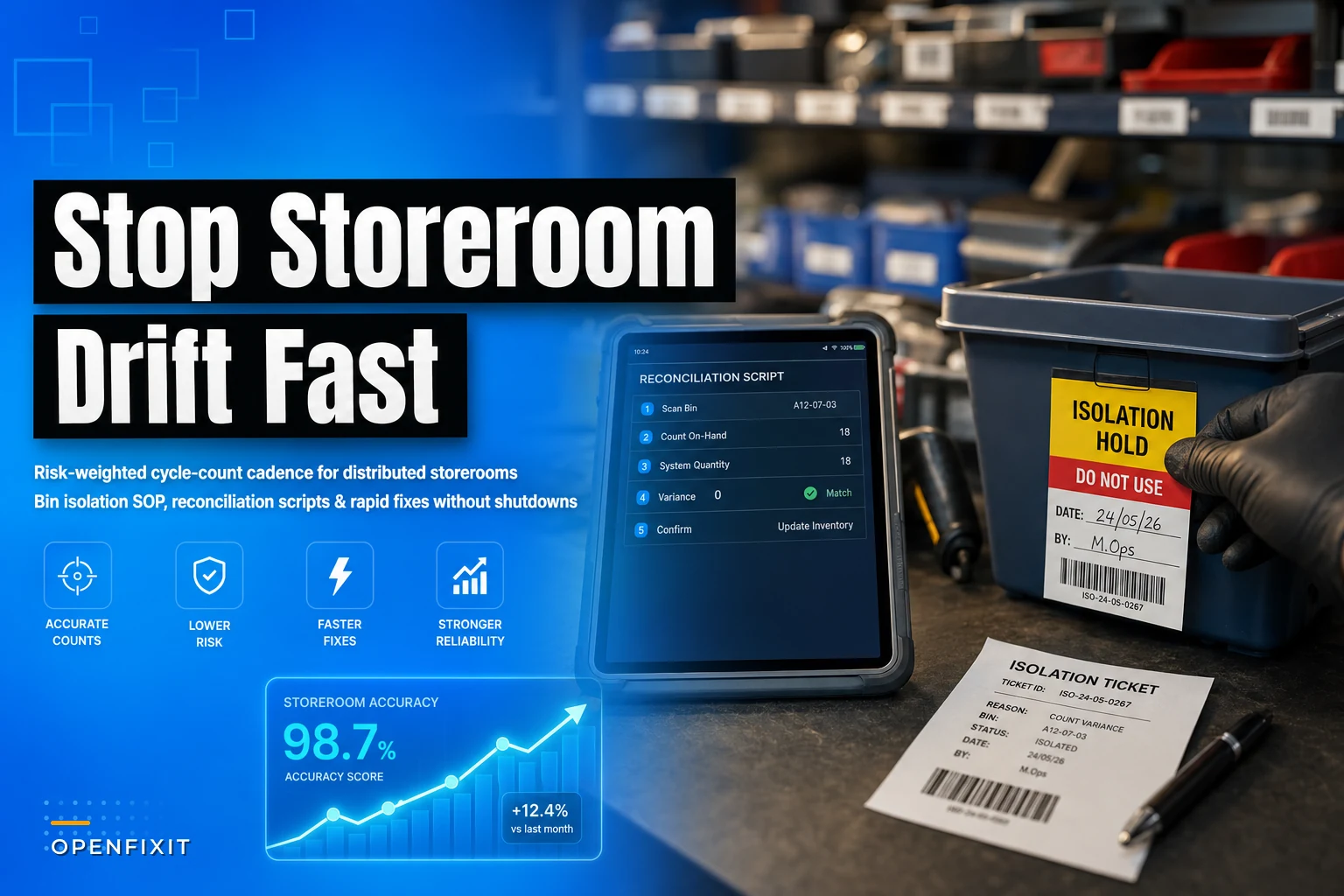

The pain with distributed storerooms isn't the big central warehouse. It's the seven little closets, mezzanine cages, and mechanical-room shelves spread across a campus where nobody technically owns the count. One tech grabs a coupling at 2am during a chiller trip, scribbles it on a whiteboard he means to enter later, and never does. Multiply that across 40 techs and 12 storerooms and your on-hand numbers slowly detach from reality. That's storeroom drift, and it doesn't announce itself. You find it the day a $9 fuse shows "6 in stock" and the bin is empty during an emergency.
Most teams respond by scheduling an annual wall-to-wall count and freezing the room. That's the wrong tool for distributed small storerooms. You end up shutting access to a space techs need hourly, burning a weekend, and getting a snapshot that's stale two weeks later. What works is a storeroom cycle count SOP weighted by risk, with tight bin-isolation rules so you never have to close a room, and reconciliation scripts short enough that a supervisor can run one in the time it takes coffee to brew.
This is the operational version of that. No theory, just the cadence, the rules, and the corrective actions.
Why drift happens in the small rooms specifically
Central stores usually have a gatekeeper and a counter. The satellite rooms don't. That's the whole story, but the mechanics are worth naming because they tell you where to count.
In real operations, drift concentrates around a handful of behaviors:
-
Silent withdrawals. A tech takes parts during off-hours and the transaction happens hours later, or never. The physical count is right; the system is wrong.
-
Wrong-bin returns. A leftover gasket goes back in the neighbor bin because the labels are faded. Now two SKUs are both off by one, in opposite directions.
-
Kitting bleed. Someone pulls three of an item for a PM kit, uses two, and the third floats in a truck for a month before it reappears somewhere unexpected.
-
Uncounted consumables. Anything cheap enough that nobody bothers to scan — thread sealant, wire nuts, filter media — quietly runs to zero.
The pattern underneath all of these: the highest-drift items are usually not the highest-dollar items. ABC analysis will tell you the A-items to protect financially, and you should run that separately (we've covered the mechanics in ABC analysis and a 90-day reorder-rule sprint). But a cycle-count cadence built purely on dollar value misses the fast-moving $4 parts that cause the most emergency stockouts. You need to weight by criticality and velocity, not just cost.
Weight the cadence by risk, not by a calendar
The core idea most SOPs get backwards: counting everything at the same frequency wastes labor on stable items and under-counts the volatile ones. Score each SKU on two axes — how bad is a stockout, and how often does the count go wrong — and let the score set the count frequency.
Eliminate downtime with proactive maintenance.
Openfixit helps you plan, track, and complete maintenance efficiently—maximizing asset reliability.
- Centralized asset management
- Automated maintenance scheduling
- Inventory and parts tracking
No credit card required
A simple weighting scheme that holds up in the field:
| Risk tier | Criteria (any one qualifies) | Count frequency | Isolation on discrepancy |
|---|---|---|---|
| R1 – Critical | Uptime part with no substitute, lead time > 2 weeks, or safety-related | Every 2 weeks | Immediate bin lock + same-day recon |
| R2 – High churn | High withdrawal count, frequent variance history, kitted items | Monthly | Bin lock if variance > tolerance |
| R3 – Standard | Moderate movement, stable count history | Quarterly | Note and recount next cycle |
| R4 – Low/consumable | Cheap, high-volume, min/max managed | Spot-check only, semi-annual full | Reorder trigger, no lock |
A part can jump tiers. A gasket that lands on the R3 quarterly schedule but shows variance three counts in a row should get promoted to R2 automatically. Drift is self-signaling if you track variance history — repeated small errors on the same SKU almost always point to a labeling or bin-location problem, not a counting problem.
For low-frequency critical spares where you barely have movement data to work with, the count cadence should lean on the same logic you'd use for stocking them in the first place. The probabilistic spare-parts forecasting approach pairs naturally with an R1 tier: rare, high-consequence, count often even though it "never moves."
Spot-check rules that catch drift early
A cycle count is a scheduled event. A spot-check is a fast, opportunistic verification that catches problems between counts. In distributed storerooms, spot-checks do more heavy lifting than the formal counts because they happen where the tech already is.
Keep the rules simple so people actually follow them:
-
Touch-it, check-it. When a tech pulls from an R1 or R2 bin, they verify the remaining count against the system before they leave the room. Two seconds. If it's off, they flag it.
-
Empty-bin trigger. Any bin found empty when the system shows on-hand gets flagged immediately — no waiting for the cycle.
-
Neighbor-bin sweep. When you find a variance, check the two adjacent bins. Wrong-bin returns travel short distances. This catches roughly a third of mystery discrepancies on the spot.
-
Weekly random 10. A supervisor pulls ten random R2/R3 SKUs across two rooms each week. Pure sampling — it tells you whether drift is contained or spreading.
When you find a variance, take a quick photo of the bin and its neighbors to speed later investigation.
Spot-checks are early-warning sensors, not corrections. Their job is to surface a discrepancy fast so the reconciliation script can run while the cause is still traceable. A variance found the same day it happened is usually solvable. One found at annual count is just a number you write off.
Temporary bin isolation — how to reconcile without closing the room
This is the part that lets you skip shutdowns entirely. When a discrepancy shows up on a critical bin, you don't freeze the storeroom. You isolate the bin.
Bin isolation SOP:
-
Tag the bin. Physical tag or app-level hold marking it "under reconciliation." The rest of the room stays fully open.
-
Snapshot the count. Record physical on-hand at the moment of isolation. This is your anchor number.
-
Redirect withdrawals. If someone needs that part during isolation, they take it and log it against the isolation ticket, not the normal transaction flow. The part stays available — you just capture every movement so the anchor number doesn't get contaminated.
-
Run the reconciliation script (below) within the tier's window — same day for R1, within 48 hours for R2.
-
Release or escalate. If the variance resolves, clear the tag. If it doesn't, it becomes a corrective action with a root cause, not a repeat write-off.
A quick visual of the bin-isolation workflow:
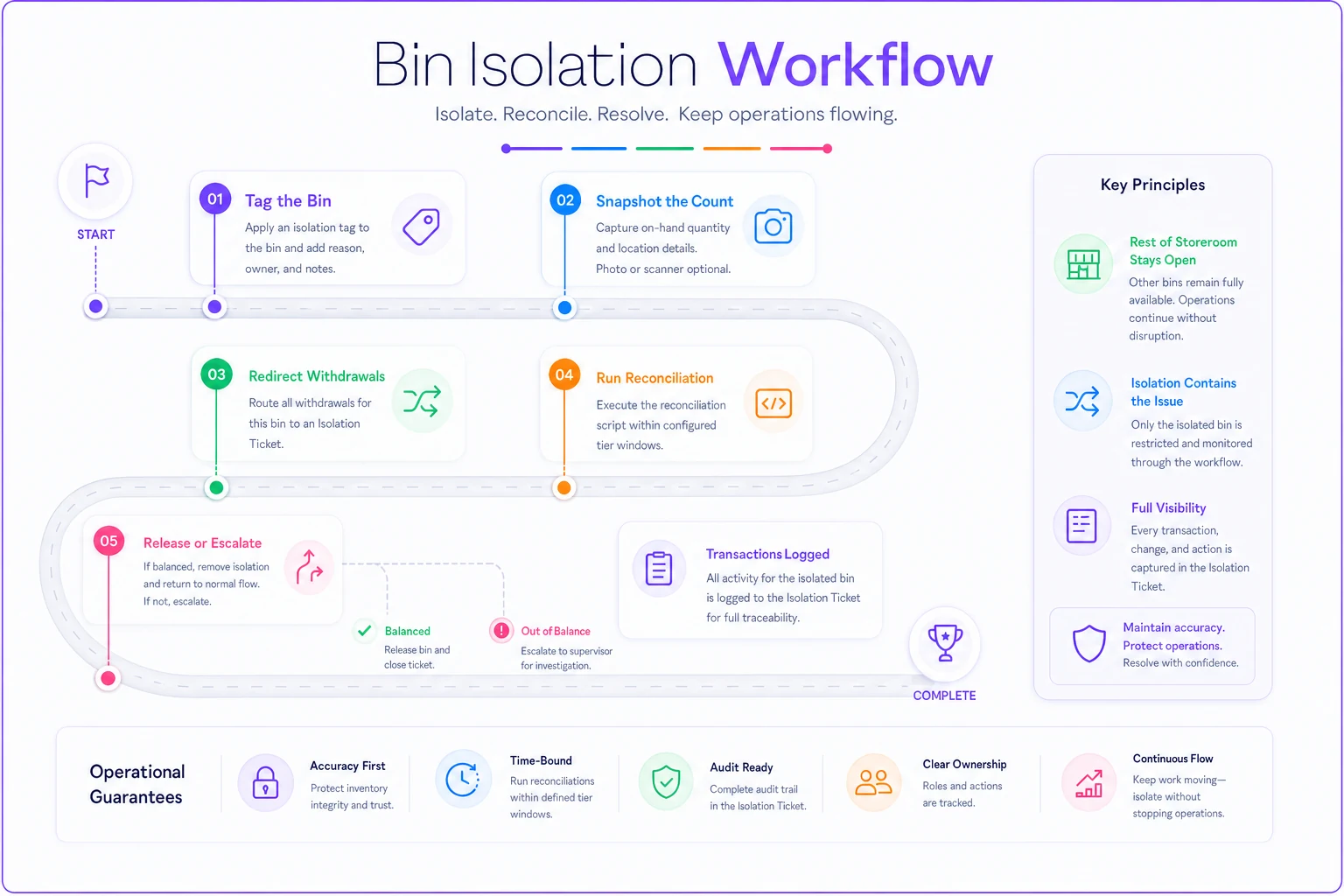
The reason this beats a room freeze: a mechanical-room storeroom might get touched 30 times a day. Freezing it stalls real work and creates a backlog of unlogged withdrawals that make the next count worse. Isolating one bin costs the room nothing and keeps every other transaction clean.
Reconciliation scripts that take minutes, not meetings
A reconciliation "script" here means a fixed sequence of checks — the same questions in the same order, every time — so a supervisor doesn't have to think, just execute. The goal is to close the loop while the trail is warm.
The standard variance script:
-
Recount physically. Half of all "variances" are miscounts. Recount before anything else.
-
Pull the last 10 transactions for that SKU. Look for a withdrawal timestamp with no work order attached, or a return with no source.
-
Check the neighbor bins for wrong-bin returns.
-
Check open kits and trucks — is the part sitting in a staged kit or a technician's vehicle?
-
Check the label and bin location against the master. Faded or duplicated labels cause chronic drift.
-
Adjust and code. Enter the correction with a reason code
silent withdrawal, wrong-bin, kitting bleed, damage, or unknown. The reason code is the whole point — it's what turns a one-off fix into a pattern you can actually attack.
Those reason codes matter more than the adjustment itself. After a quarter of tagging every correction, you'll usually find that 60% or more of your drift traces back to two or three causes — commonly off-hours withdrawals and one storeroom with bad labeling. That tells you exactly where to spend your fix effort instead of just counting harder everywhere.
Quick corrective actions, ranked by what they actually fix
Once reason codes point at causes, the corrections are cheap and specific:
-
Silent withdrawals → put a mobile scan-out at the door of the two worst rooms. Even a QR-and-phone flow beats a whiteboard. Off-hours drift usually drops fast once logging takes ten seconds instead of a trip back to a terminal.
-
Wrong-bin returns → reprint labels, add bin photos to the location record, and physically separate look-alike SKUs. This is the highest ROI fix and the most ignored.
-
Kitting bleed → reconcile kits against the work order at close-out, not at build. The unused part gets returned and logged in the same step.
-
Chronic single-SKU variance → promote it a risk tier and audit its bin location. Repeat offenders are almost always a location or labeling defect.
None of these require a system overhaul or a shutdown. Drift is a thousand small leaks, and you plug the biggest few.
A real scenario
A regional facilities team ran eight storerooms across three buildings — one central cage and seven satellites. They were doing a single annual wall-to-wall count and freezing each room for a day. Inventory accuracy on the satellites sat around 82%, and they were writing off somewhere between $14k and $18k a year in "shrink" that was really just untracked movement plus emergency reorders for parts that were physically on a shelf the whole time.
They switched to a risk-weighted cadence: R1 spares counted every two weeks, bin isolation instead of room freezes, and the six-step variance script with reason codes. No room ever went offline. Within about four months, satellite accuracy climbed into the low 90s, and the phantom-stockout emergency orders — the ones where the part existed but the system said zero — dropped by more than half.
The reason-code data told the real story. Roughly two-thirds of the drift came from one poorly-labeled electrical room and off-hours withdrawals in the boiler house. Two targeted fixes, not eight storerooms worth of process changes.
The labor angle mattered too. The old annual count ate a full weekend of overtime. The cycle cadence spread the effort into short weekly blocks that fit inside normal shifts — less total hours, and the numbers stayed current instead of decaying between counts.
When this makes sense — and when it doesn't
Do this if you have multiple small storerooms, off-hours access, and a history of "the part's on the shelf but the system says zero." That's the exact failure mode a risk-weighted cadence with bin isolation solves.
Skip the heavy version if you have a single controlled stockroom with a gatekeeper and scan-every-transaction discipline already working. Overlaying tiered counting on a room that's already tight just adds ceremony. Run spot-checks and leave it.
Who should not build this yet: teams without any transaction logging at all. If withdrawals live entirely on whiteboards, fix that first — reconciliation scripts need a transaction trail to work against, or every variance codes as "unknown" and you learn nothing.
Making it stick without a spreadsheet graveyard
The cadence only holds if the count schedule, the risk tier, the variance history, and the reason codes live in one place tied to the actual bin. Run this on paper and the tier promotions never happen, the reason-code trends never surface, and you drift right back to annual counts.
A CMMS or inventory module that timestamps every withdrawal, holds a risk tier per SKU, and lets a supervisor trigger a bin isolation from a phone is what makes the difference between a good SOP and one that dies in month three. The value isn't automation for its own sake — it's that the transaction trail and variance history are already captured, so the reconciliation script is a two-minute lookup instead of an investigation. When the system flags a SKU that's varied three counts running, you get the tier-promotion prompt automatically instead of hoping someone notices the pattern in a spreadsheet.
Start narrow. Pick your two worst storerooms, tag the R1 and R2 items, run the six-step script for one quarter, and watch the reason codes. The drift will tell you where it's coming from — you just have to be counting the right things often enough to hear it.
Ready to optimize your maintenance operations?
Join 2,000+ facilities using Openfixit to reduce unplanned outages, extend asset life, and improve operational efficiency.